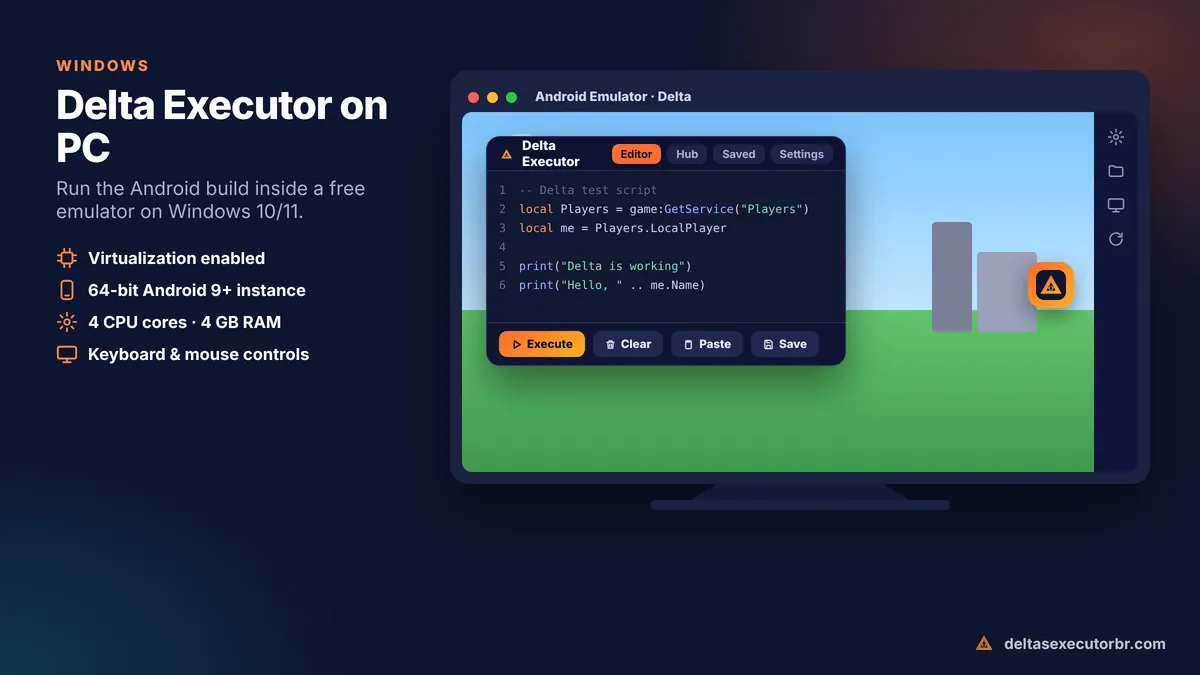
To use Delta Executor on PC, install a free Android emulator (BlueStacks, LDPlayer or MuMu Player) on Windows 10 or 11, create a 64-bit Android instance, then install the Delta APK inside it. Open Delta, log in to Roblox, get the free key and run scripts with your mouse and keyboard.
Can You Use Delta Executor on PC?
Yes — but not the way most people expect. Delta is a mobile executor. Roblox protects its Windows desktop client with the Hyperion (Byfron) anti-tamper system, which is why classic PC executors became rare and why Delta focused on Android and iOS.
The good news is that an Android emulator runs the mobile version of Roblox on your computer. Install the Delta APK inside the emulator and you get the full Delta experience on a big screen, with keyboard and mouse support.
Beware of fake “Delta PC” files: a .exe or .zip that claims to be “Delta Executor for Windows” from an unofficial site is the most common way fake executors spread password stealers. Use the emulator method unless the Delta team officially announces a Windows build.
Delta Executor PC Requirements
| Component | Minimum | Recommended |
|---|---|---|
| Operating system | Windows 10 64-bit | Windows 11 |
| Processor | 4 cores, virtualization (VT-x / AMD-V) | 6+ cores |
| RAM | 8 GB | 16 GB |
| Storage | 10 GB free | SSD with 20 GB free |
| Graphics | Intel UHD / Vega integrated | Any dedicated GPU |
How to Download Delta Executor for PC
You need two downloads: an Android emulator from its official website, and the Delta APK from the download box on this page (the same file used on phones). There is no separate “PC APK”. Get the APK details from our Delta Executor APK guide.
How to Install Delta on PC (Emulator Method)
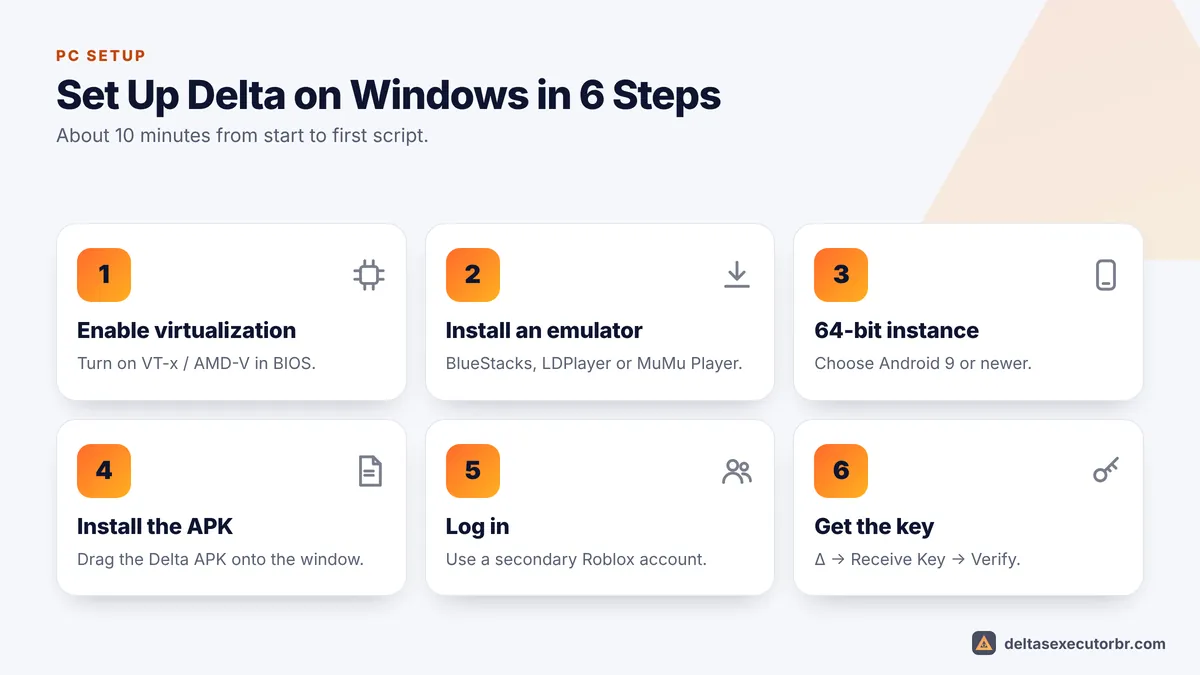
- Enable virtualization Restart into BIOS/UEFI and turn on Intel VT-x or AMD SVM. Task Manager → Performance → CPU shows “Virtualization: Enabled” when it is on.
- Install an emulator Download BlueStacks, LDPlayer or MuMu Player from the official website and install it.
- Create a 64-bit instance In the emulator's instance manager, choose a 64-bit Android 9 or newer instance.
- Install the Delta APK Drag the APK file onto the emulator window, or use its “Install APK” button.
- Open Delta and log in Sign in to Roblox with a secondary account.
- Get the key Tap the Δ button, open “Receive Key”, finish the checkpoints and paste the key. See the Delta key guide.
Best Emulator Settings for Delta Executor
| Setting | Value | Why |
|---|---|---|
| Android version | 64-bit, Android 9+ | Roblox and Delta need 64-bit |
| CPU cores | 4 | Prevents freezes during script execution |
| RAM | 4 GB (6 GB if you have 16 GB) | Heavier games need more memory |
| Resolution | 1600×900 or 1280×720 | Smoother FPS on laptops |
| FPS | 60 | Matches Roblox's cap |
| Graphics engine | DirectX or Vulkan (try both) | Fixes black screens |
| Root | Off | Delta does not need it |
Using Delta on PC: Controls
- Click the Δ button to open and close the executor.
- Ctrl+V pastes a script into the editor in most emulators.
- Use the emulator's keymapping tool to set WASD movement and camera controls for Roblox.
- Save scripts inside Delta so you do not need to copy them from Windows every time.
New to scripts? Read how to use Delta Executor.
Delta Executor on Mac
On an Apple silicon Mac (M1 or newer) you can use an Android emulator with ARM support. Some users also sideload the iOS IPA on macOS with a signing tool, as explained in our Delta iOS guide. On an Intel Mac, BlueStacks is the simplest option.
Fix Delta Executor PC Problems
| Problem | Fix |
|---|---|
| Emulator very slow | Enable virtualization in BIOS; close Chrome tabs; give the emulator 4 cores. |
| Emulator won't start | Turn off Hyper-V / Memory Integrity, or choose the emulator's Hyper-V compatible version. |
| Black screen in Roblox | Switch the graphics engine between DirectX and Vulkan. |
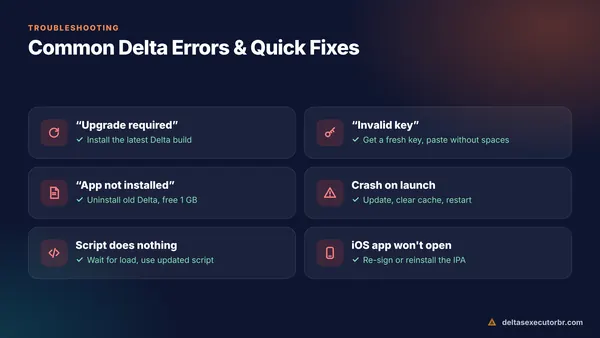
| Delta crashes on launch | Use a 64-bit instance and the newest Delta APK. |
| “Device not supported” | Change the emulator's device profile to a popular phone model. |
For key and script problems, see Delta Executor not working.
- Delta on PC = Android emulator + the normal Delta APK.
- Enable virtualization and use a 64-bit Android 9+ instance with 4 cores and 4 GB RAM.
- Avoid unofficial “Delta .exe” files.
Frequently Asked Questions
Is there an official Delta Executor .exe for Windows?
Delta was built for mobile. The reliable way to use it on a computer is the Android APK inside an emulator. Be very careful with any “Delta PC .exe” download from unknown sites — Windows executables are the most common way fake executors spread malware. Check the official Delta Discord for any native Windows release.
Which emulator is best for Delta Executor?
Popular choices are BlueStacks, LDPlayer and MuMu Player. Use a 64-bit Android 9 or newer instance with at least 4 GB RAM and 4 CPU cores assigned. If Delta crashes in one emulator, try another — compatibility changes with each Roblox update.
Does Delta work on a low-end laptop?
It can, if the laptop has at least 8 GB RAM and virtualization enabled in BIOS. Lower the emulator resolution and Roblox graphics for smoother play.
Can I use Delta Executor on Mac?
Yes. On Apple silicon Macs you can use an Android emulator that supports ARM, or sideload the iOS IPA on macOS where supported. Intel Macs need an Android emulator such as BlueStacks.
Will my antivirus block Delta on PC?
Windows Defender may flag the APK when it is downloaded because executors modify Roblox. The emulator itself is safe. Only download the APK from the official source and scan it before use.