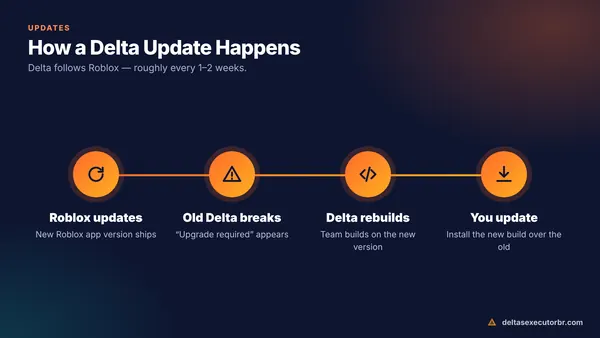
The Delta Executor Discord is the official community server for Delta. It is the fastest place to see new builds, key-system status and known issues, and to ask for help. Join only through the official invite — open the Delta Discord — and never trust members who DM you with “free keys”, files or QR codes.
What You Get in the Delta Discord

| Channel type | What it is for |
|---|---|
| Announcements | New Delta builds, version numbers and changelogs |
| Status | Whether Delta or the key system is working after a Roblox update |
| Support / help | Ask about install errors, crashes and key problems |
| Scripts | Community script sharing and requests |
| General chat | Talk with other Delta users |
Channel names change over time, but these sections are what you will usually find.
How to Join the Delta Executor Discord

- Open the official invite Use the link on this page or the official Delta website — not links from YouTube comments.
- Accept the invite Log in to Discord in the app or browser and tap Join.
- Complete verification Some servers use a simple button or emoji check. Real verification never asks for your password, a QR code scan or a file download.
- Read the rules and FAQ Most questions about keys and updates are already answered there.
- Turn off DMs from server members Server settings → Privacy → disable direct messages. This blocks most scammers.
How to Spot a Fake Delta Discord
- It asks you to scan a QR code to “verify” — this can hand over your Discord account.
- Someone DMs you first with a download, “premium key” or “keyless Delta”.
- It promises free Robux, limited items or paid scripts for free.
- The server has very few channels, no announcement history and lots of links to file-hosting sites.
Never paste your Roblox cookie, Discord token or password anywhere. No legitimate Delta helper will ever ask for them.
Using Discord to Fix Delta Problems
Before posting in support, check the status and announcement channels — if Roblox just updated, everyone is waiting for the same new build. When you ask for help, include:
- your device model and Android/iOS version,
- your Delta version,
- a screenshot of the exact error.
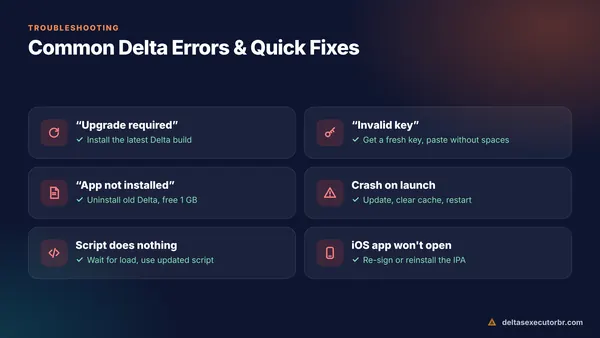
You can also try the fixes on our Delta not working page, which solve most issues without waiting for support.
Delta Discord and the Key System
When the key page is slow or offline, the Discord usually posts a notice. The key itself still comes from the official key page — see how to get the Delta key. Ignore anyone selling keys; the official key is free.
Got Scammed in a Fake Server? Do This
- Change your Discord password immediately — this also signs out other sessions and invalidates stolen tokens.
- Turn on two-factor authentication in Discord's account settings.
- Check Authorized Apps in Discord settings and remove anything you do not recognise.
- Secure your Roblox account: change the password, sign out of all sessions and enable 2-Step Verification.
- Delete any files the scammer sent and run a scan on your device.
- Report the server and users to Discord Trust & Safety.
Discord Etiquette That Gets You Help Faster
- Search the server before asking — the same question is often answered daily after Roblox updates.
- Post in the right channel; support questions in general chat are usually ignored.
- Do not ping staff for key issues while an outage notice is pinned.
- Share screenshots, not screen recordings of your whole phone (they can reveal personal info).
Stay Updated Without Discord
Not a Discord user? We update the version number and date on this website after each new Delta build. Check the Delta update page or the version shown at the top of every page.
Frequently Asked Questions
What is the official Delta Executor Discord?
It is the community server run by the Delta team, used for update announcements, key-system status, support channels and script sharing. Use the official invite link from the Delta website or the button on this page.
Can I get a Delta key from Discord?
The server usually links to the official key page and posts key-system status. Be careful with anyone offering “free keys” or “premium keys” in DMs — that is a common scam.
How do I know a Delta Discord server is fake?
Fake servers often DM you first, ask you to scan a QR code, send files to “verify”, or promise free Robux or keyless Delta. The official server never needs your password or a QR login.
Is it safe to join the Delta Discord?
Joining the official server is fine. Keep Discord DMs from server members turned off and never run files sent to you privately.