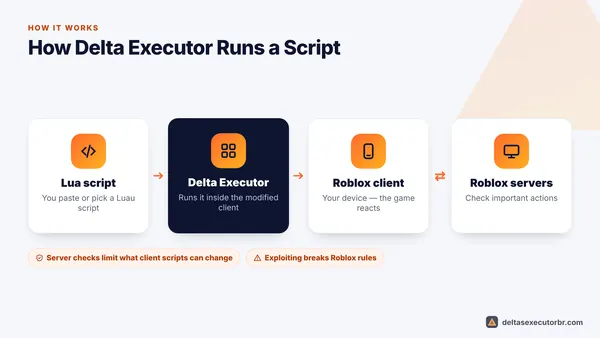
The official Delta Executor is not malware, but it is not risk-free. Antivirus apps flag it as “riskware” because it modifies Roblox, fake Delta downloads can contain real viruses, and using any executor breaks the Roblox Terms of Use, so your account can be banned. Download only from the official source, never use your main account, and never run scripts that ask for passwords.
Our Verdict: Is Delta Executor Safe?
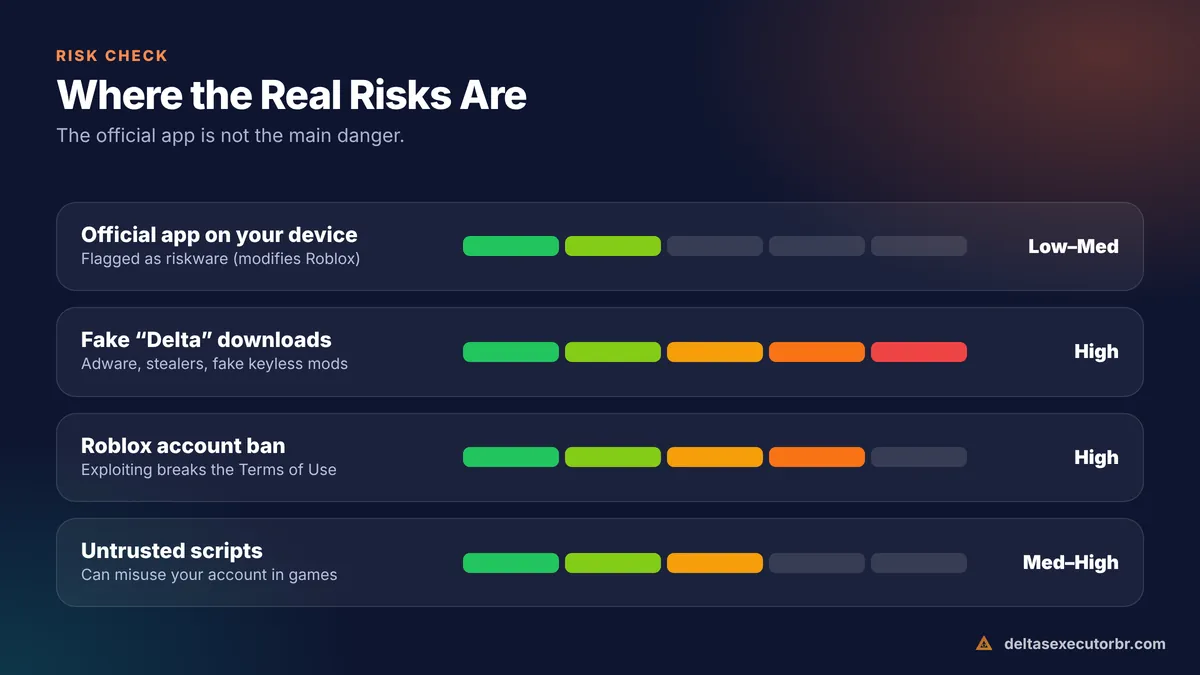
| Question | Risk level | Short answer |
|---|---|---|
| Is the official app safe for my device? | Low–medium | Often flagged as riskware because it modifies Roblox; the bigger danger is fake copies |
| Are unofficial “Delta” downloads safe? | High | Often adware, outdated builds or account stealers |
| Is my Roblox account safe? | High | Using any executor can lead to a warning or permanent ban |
| Are random scripts safe? | Medium–high | Scripts can misuse your account inside games |
Is Delta Executor a Virus?
No — but it is easy to see why people ask. When you download Delta, Google Play Protect, Windows Defender or another antivirus may show labels such as Riskware, HackTool or PUA (potentially unwanted app). These labels describe what Delta does: it is a modified Roblox client that injects and runs code. Security tools flag that behaviour by design.
That is different from a trojan or spyware detection. If a multi-engine scan of your file shows names like Trojan.Stealer, Banker or Spyware, delete it — it is probably not the real Delta.
Why we cannot say “100% safe”: no one outside the Delta team can audit every build. The safest approach is to install it on a spare device that does not hold your banking apps, if you can.
Is Delta Executor Detected by Roblox? Can You Get Banned?
Yes, you can be banned. Using exploits is against the Roblox Terms of Use, and Roblox regularly bans accounts caught exploiting — sometimes in waves weeks later. Individual games also have their own anti-cheat that can kick or ban you from that game.
Many download pages advertise “Delta anti-ban” or “undetected”. Treat that as marketing. No executor can guarantee your account will not be banned, and a build that worked safely yesterday can be detected tomorrow.
- Use a secondary account with no Robux or limited items on it.
- Avoid obvious scripts in public servers — reports from other players lead to bans.
- Do not use Delta in games where you have spent money.
Is Delta Executor Legit?
Delta is a real, actively maintained executor with an official Discord community, a public key system and frequent updates after each Roblox release. It is one of the best-known mobile executors. “Legit” here means it is the real app and it works — not that Roblox allows it.
Safety Checklist Before You Install
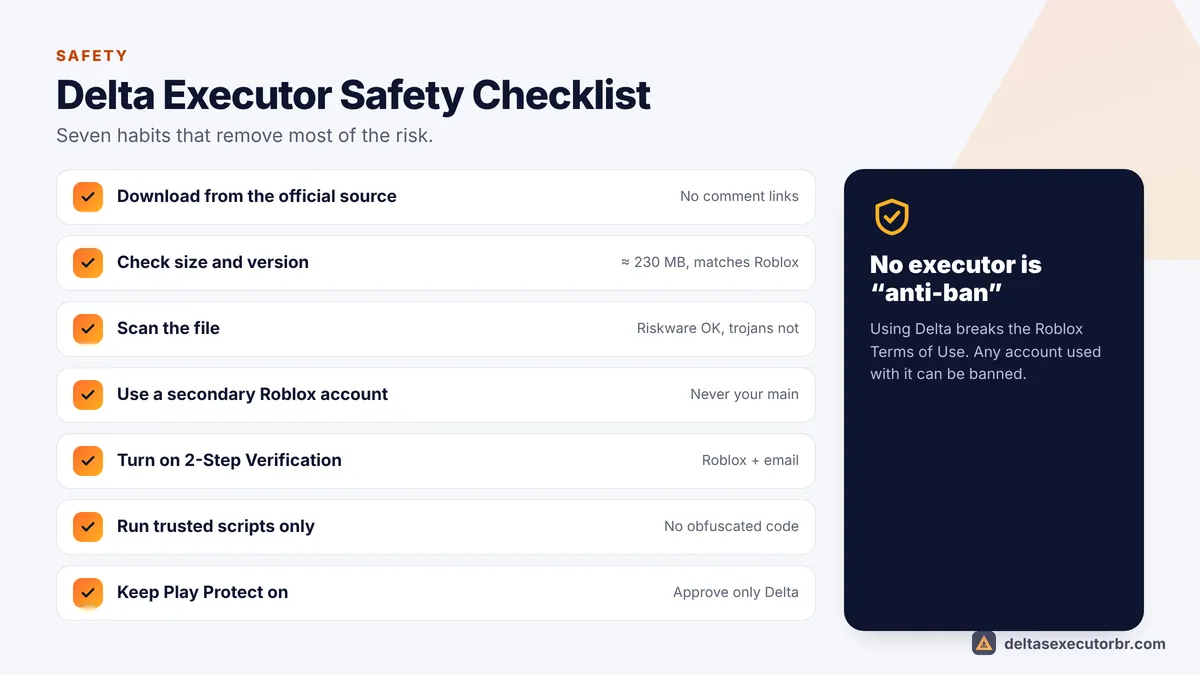
- Use the official source Download from the official Delta link — never from YouTube comment links or file-sharing sites.
- Check size and version The Android APK is about 230 MB and the version matches the current Roblox version.
- Scan the file A few “riskware” labels are normal; trojan or stealer labels are not.
- Use a secondary Roblox account Never log in with an account you would hate to lose.
- Turn on 2-Step Verification On every Roblox account, plus a strong unique password.
- Only run trusted scripts Avoid heavily obfuscated scripts and anything that asks for cookies, passwords or trades.
- Keep Play Protect on Approve only the official Delta file.
Red Flags of a Fake Delta Download
- The file is tiny (under 50 MB) or is an .exe, .bat or password-protected .zip.
- The page makes you complete surveys, install other apps or “verify you are human” over and over.
- It promises “Delta keyless”, “premium unlocked” or “free Robux”.
- The app asks for your Roblox password in a separate login screen.
- After installing, your phone shows full-screen ads or new apps you did not install.
What to Do If You Installed a Fake Delta
- Uninstall the app immediately (Settings → Apps).
- Run a Play Protect or antivirus scan.
- From a clean device, change your Roblox password and sign out of all other sessions (Roblox Settings → Security).
- Turn on 2-Step Verification and check your email account's security too.
- Reinstall Delta only from the official source, using our APK guide or iOS guide.
Want to understand what an executor actually does? Read what is Delta Executor.
- Official Delta = flagged as riskware, not a virus. Fake Delta = real danger.
- Roblox can ban any account used with an executor; “anti-ban” is a myth.
- Official source, secondary account, 2-Step Verification and trusted scripts only.
Frequently Asked Questions
Is Delta Executor a virus?
The official Delta app is not a virus, but many antivirus tools label it “riskware” or a “hack tool” because it modifies the Roblox client and runs injected scripts. Fake Delta files from unofficial sites can contain real malware, so the source matters most.
Can Roblox detect Delta Executor?
Yes, it can. Roblox actively works against exploits and bans accounts for using them. No executor can promise to be undetected or “anti-ban”. Use a secondary account if you choose to use Delta.
Is Delta Executor legit?
Delta is a real, widely used executor with an active community and official channels. “Legit” does not mean allowed by Roblox, though — it still breaks the Roblox Terms of Use.
Can Delta Executor steal my Roblox account?
The official app is used by a huge number of players without account theft reports being typical. The real risk comes from fake copies and from scripts you run. Never run obfuscated scripts that ask for your cookie, password or Robux.
Is it safe to turn off Play Protect for Delta?
You do not need to turn Play Protect off permanently. Use “Install anyway” for the official file only and keep Play Protect on for everything else.