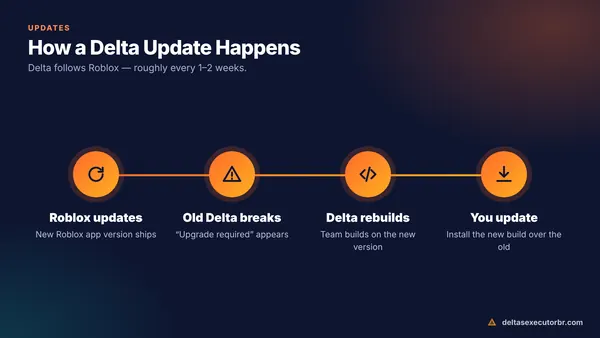
Most “Delta Executor not working” problems have one cause: Roblox updated and your Delta build is outdated. Install the newest Delta version first. If it still fails, clear Delta's cache, get a fresh key, free up RAM and storage, and rejoin the game before executing scripts.
Is Delta Executor Down Today?
Before changing anything on your phone, check whether the problem is on Delta's side:
- Did Roblox update today? Look at the Roblox page in the Play Store or App Store. A fresh Roblox update means Delta needs a new build — usually within a few days.
- Is the key system working? If the key page will not load for anyone, the Delta Discord normally posts a status message.
- Compare versions. If your Delta version is lower than the version on our home page, you just need to update.
If Delta works for others but not for you, use the fixes below.
Common Delta Errors and Their Fixes
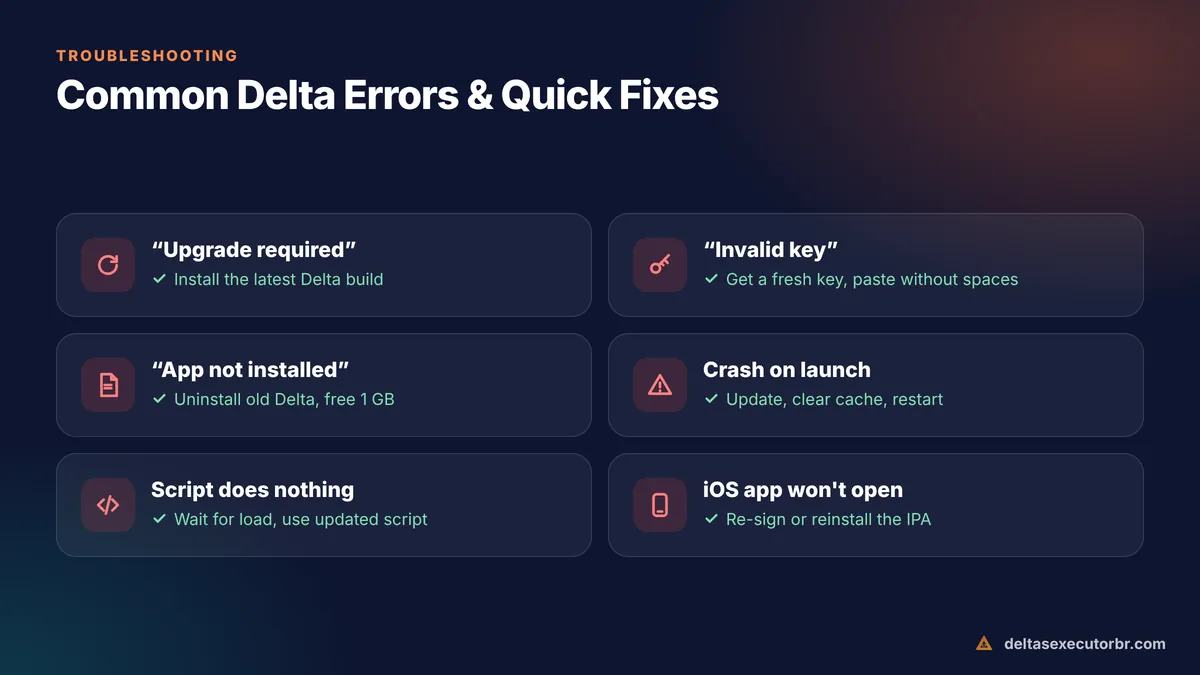
| Error / symptom | Most likely cause | Fix |
|---|---|---|
| “Upgrade required” / “update the app” | Outdated Delta build | Install the latest version |
| App closes on launch | Version mismatch or corrupted cache | Update, then clear cache |
| “Invalid key” | Expired or mis-copied key | Get a fresh key |
| App not installed | Old build / low storage / bad download | Uninstall old Delta, free space, re-download |
| Scripts do nothing | Outdated script or game not loaded | Rejoin, wait, use an updated script |
| Black screen | Graphics issue (often emulators) | Lower graphics / switch DirectX↔Vulkan |
| iOS app won't open | Revoked certificate / expired signing | Re-sign or reinstall the IPA |
12 Fixes for Delta Executor Not Working

- Update Delta Download the newest build. This alone fixes most errors.
- Restart your device Clears stuck memory and network issues.
- Clear Delta's cache Android: Settings → Apps → Delta → Storage → Clear cache. Do not clear data unless needed — it removes saved scripts.
- Get a new key Expired keys cause the executor to close or reject scripts.
- Free RAM Close all other apps, especially games and browsers with many tabs.
- Free storage Keep at least 1–2 GB free; Delta writes game data while running.
- Lower Roblox graphics In-game Settings → Graphics → Manual, lower the level.
- Switch network Try Wi-Fi instead of mobile data, and turn off VPN or ad-blocking DNS.
- Reinstall cleanly Back up scripts, uninstall Delta, restart, then install the latest build.
- Check device support Delta needs a 64-bit phone with Android 8.0+ or iOS 15+. See system requirements.
- Use updated scripts Game updates break scripts. Search the script hub for a newer version.
- Wait for the next build If Roblox updated today, the fix may simply be the next Delta release.
Why Can't I Install Delta Executor?
- “Problem parsing the package” — the APK is incomplete. Delete it and download again on Wi-Fi.
- “App not installed as package conflicts” — an older Delta with a different signature is installed. Uninstall it first.
- Play Protect blocks it — tap More details → Install anyway, but only for the official file.
- iOS “Unable to install” — free storage, use Safari for direct-install links, or sideload with a computer.
Platform-specific help: Android APK · iOS · PC.
Delta Scripts Not Executing?
If Delta opens and accepts your key but scripts do nothing:
- Wait until the game is fully loaded before tapping Execute.
- Make sure you pasted the whole script — long scripts are often cut off when copied on phones.
- Try a simple test such as printing a message to confirm the executor works; if it does, the problem is the script.
- Some games detect scripts and kick you. That is the game's anti-cheat, not a Delta bug.
Learn the editor properly in how to use Delta Executor.
When to Contact Delta Support
If none of the fixes work, ask in the official Delta Discord support channel. Include your device model, Android/iOS version, Delta version and a screenshot of the error. Never send your Roblox password or account cookie to anyone offering “support” in DMs.
- Update first — outdated builds cause most problems.
- Then clear cache, renew the key and free RAM/storage.
- If Roblox just updated, the real fix is the next Delta build.
Frequently Asked Questions
Is Delta Executor down right now?
When Delta is “down” for everyone, it is usually because Roblox just updated and Delta has not released a matching build yet, or the key system is offline. Check the official Delta Discord announcements and the version on this site. If other players are fine, the problem is on your device.
Why is Delta Executor not working after a Roblox update?
Each Roblox update changes the client, and Delta must be rebuilt to match. Until the new Delta build is out, older builds show “upgrade required” or close. Install the newest build as soon as it is available.
Why can't I install Delta Executor?
The most common reasons are an incomplete download, an old Delta version with a different signature, low storage, or a 32-bit phone. Re-download on Wi-Fi, uninstall old versions and free at least 1 GB.
Why do my scripts not do anything in Delta?
The script may be outdated for that game, the game may not have fully loaded, or the game's own anti-cheat blocks it. Rejoin, wait for loading to finish, then execute again or try an updated script.
Why does Delta crash when I open a game?
Low RAM, high graphics settings or an outdated build. Close background apps, lower Roblox graphics and update Delta.