The latest Delta Executor version is listed in the download box above and always matches the current Roblox version. To update, download the newest build and install it over the old one (APK on Android, IPA on iOS, APK inside your emulator on PC). If Delta shows “upgrade required”, your build is older than Roblox — updating fixes it.
Delta Executor Latest Version
| Item | Details |
|---|---|
| Latest Delta version | v2.743 |
| Based on | Roblox app 2.743 |
| Platforms | Android APK, iOS IPA, PC (emulator) |
| Update cycle | About every 1–2 weeks |
| Key reset after update | Sometimes |
Delta Executor New Update: What Changes?
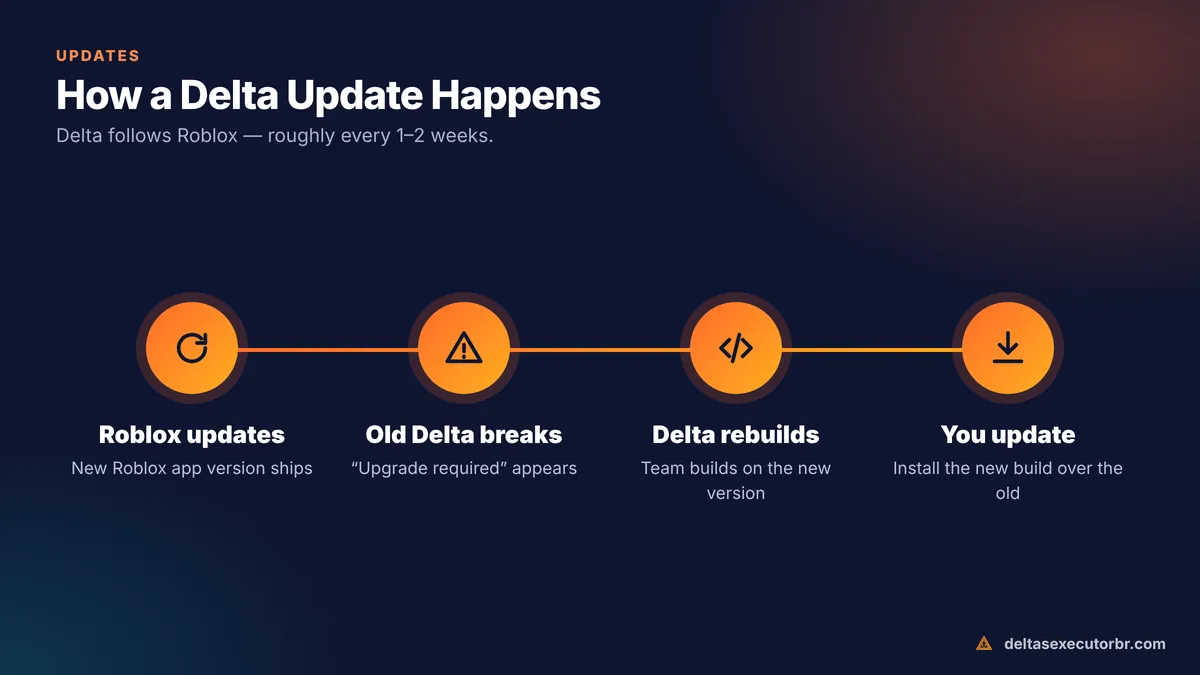
Most Delta updates are compatibility updates. Roblox ships a new app version roughly every week. Because Delta is a modified Roblox client, the team rebuilds Delta on top of each new Roblox version so it can keep joining games.
Besides compatibility, updates can include:
- bug fixes for crashes and script execution errors,
- script hub and editor improvements,
- changes to the key system or key provider,
- support for new Android or iOS versions.
The official changelog is posted in the Delta Discord server — see our Delta Discord guide.
How to Check Your Delta Version
- Android: Settings → Apps → Delta (it may appear as Roblox) → App info. The version is at the bottom.
- iOS: Open the Delta app's settings page, or check the IPA file name you installed.
- Inside Delta: the executor's settings tab normally shows the build number.
Compare it with the version in our download box. If yours is lower, update.
How to Update Delta Executor on Android

- Back up your scripts Copy any saved scripts into a notes app.
- Download the newest APK Use the download box on this page.
- Install over the old app Open the APK and tap Update/Install. Your data normally stays.
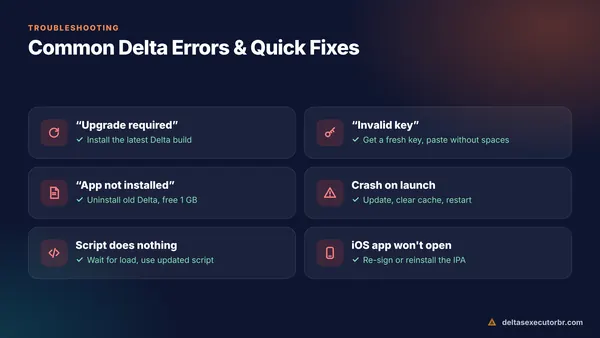
- If it fails, uninstall first “App not installed” means the signature changed. Uninstall old Delta, then install the new APK.
- Get a new key if asked Follow the Delta key guide.
How to Update Delta Executor on iOS
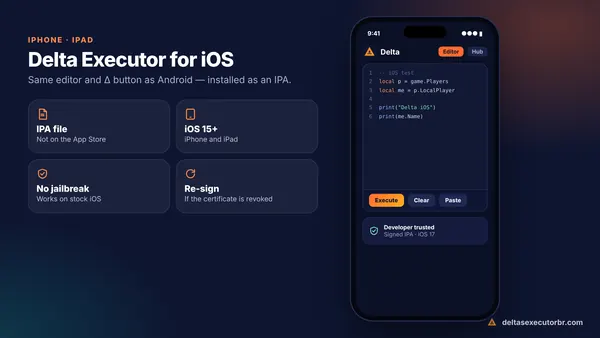
- Get the newest IPA or direct-install link.
- Install it the same way as before (direct install, Sideloadly/AltStore, or your signing app). It replaces the old version.
- If iOS asks, trust the developer again in Settings → General → VPN & Device Management.
- With a free Apple ID, remember to refresh the app every 7 days.
Full details: Delta Executor iOS guide.
How to Update Delta on PC
Inside your emulator, install the new APK over the old one — drag it onto the emulator window. If the emulator's own Android version is very old, update the emulator too. See the PC guide.
Delta Executor Upgrade Fix (“Upgrade Required” Loop)
This is the most searched Delta error. It appears when Roblox's servers expect a newer client than the one inside your Delta build.
- Install the latest Delta build. This fixes it in almost every case.
- Do not update through the Play Store. The store's “Update” button installs official Roblox, not Delta.
- Clear cache: Settings → Apps → Delta → Storage → Clear cache (not data).
- Restart your phone and open Delta again.
- Still stuck? Roblox may have just updated and Delta has not caught up yet. Wait for the next build — usually within a few days — instead of downloading “patched” files from unknown sites.
Other errors are covered in Delta Executor not working.
How to Know When a New Delta Update Is Out
- Check the version at the top of this website — we update it after each new build.
- Watch the announcements channel in the official Delta Discord.
- If Roblox shows an update on the Play Store or App Store, expect a new Delta build soon.
- Delta updates follow Roblox updates — roughly every 1–2 weeks.
- Install the new build over the old one; back up scripts first.
- “Upgrade required” = outdated Delta. Update instead of hunting for patches.
Frequently Asked Questions
What is the latest version of Delta Executor?
The current build is shown in the download box on this page and at the top of the site. Delta's version number matches the Roblox app version it is built on, so it changes whenever Roblox updates.
How often does Delta Executor update?
Usually every one to two weeks, following Roblox's own update schedule. Major Roblox changes can take Delta a few extra days.
How do I fix “upgrade required” in Delta?
Install the newest Delta build. The message means Roblox has moved to a newer version than your Delta app. If you already have the latest build, clear Delta's cache, restart and try again.
Will updating Delta delete my saved scripts?
Installing a new APK over the old one normally keeps your data. Uninstalling first will remove saved scripts, so copy important scripts somewhere safe before updating.
Do I need a new key after updating Delta?
Sometimes. Some updates reset the key, so be ready to get a new free key from the key page.