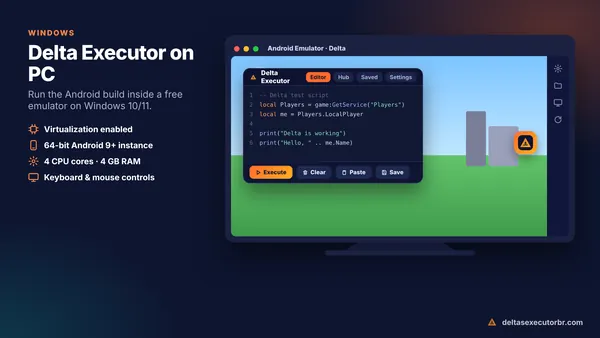
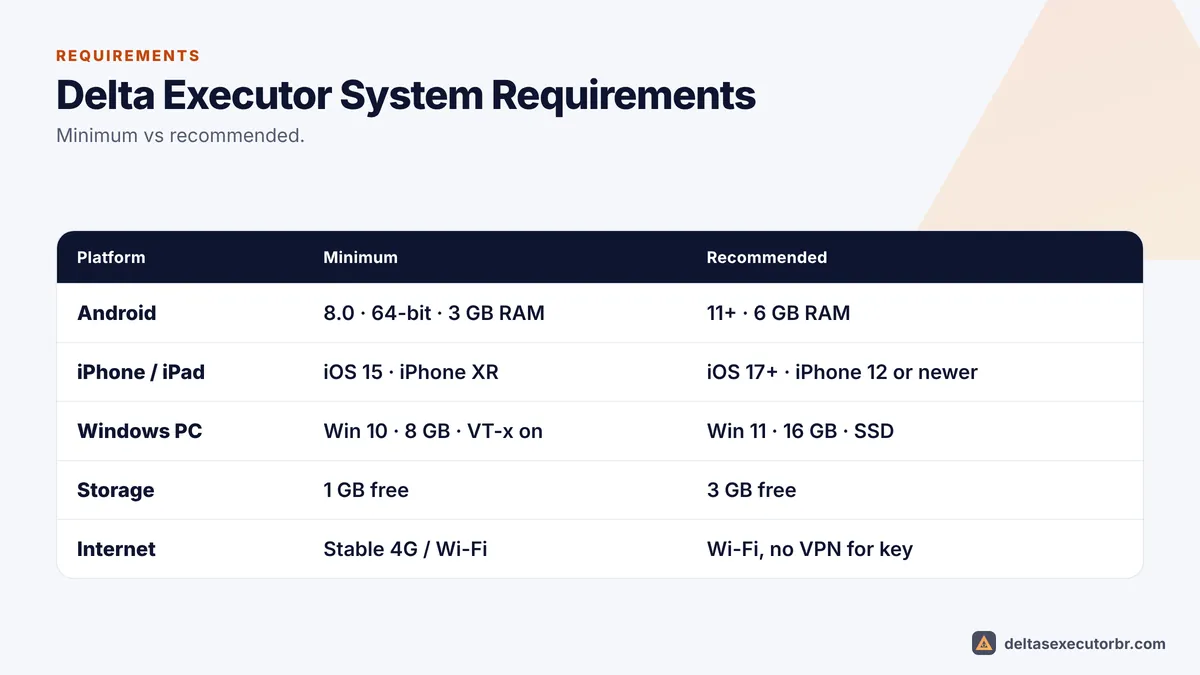
Delta Executor needs a 64-bit Android 8.0+ phone with at least 3 GB RAM (6 GB recommended), or an iPhone/iPad on iOS 15+. On PC you need Windows 10/11, 8 GB RAM and virtualization enabled to run an Android emulator. Keep at least 1–2 GB of free storage on every device.
Delta Executor Requirements at a Glance
Android Requirements
| Component | Minimum | Recommended |
|---|---|---|
| Android version | 8.0 | 11 or newer |
| Architecture | 64-bit (ARM64) | 64-bit (ARM64) |
| RAM | 3 GB | 6 GB+ |
| Free storage | 1 GB | 3 GB |
| Chipset | Helio G85 / Snapdragon 6-series | Snapdragon 7/8-series, Dimensity 7000+ |
Install guide: Delta Executor APK for Android.
iPhone and iPad Requirements
| Component | Minimum | Recommended |
|---|---|---|
| iOS / iPadOS | 15 | 17 or newer |
| Device | iPhone XR / iPad 7th gen | iPhone 12 or newer / recent iPad |
| Free storage | 1 GB | 3 GB |
| Jailbreak | Not needed | Not needed |
Install guide: Delta Executor iOS.
PC Requirements (Emulator)
| Component | Minimum | Recommended |
|---|---|---|
| Windows | 10 (64-bit) | 11 |
| CPU | 4 cores + virtualization | 6+ cores |
| RAM | 8 GB | 16 GB |
| Storage | 10 GB free | SSD, 20 GB free |
Setup guide: Delta Executor PC.
How RAM Affects Delta Performance
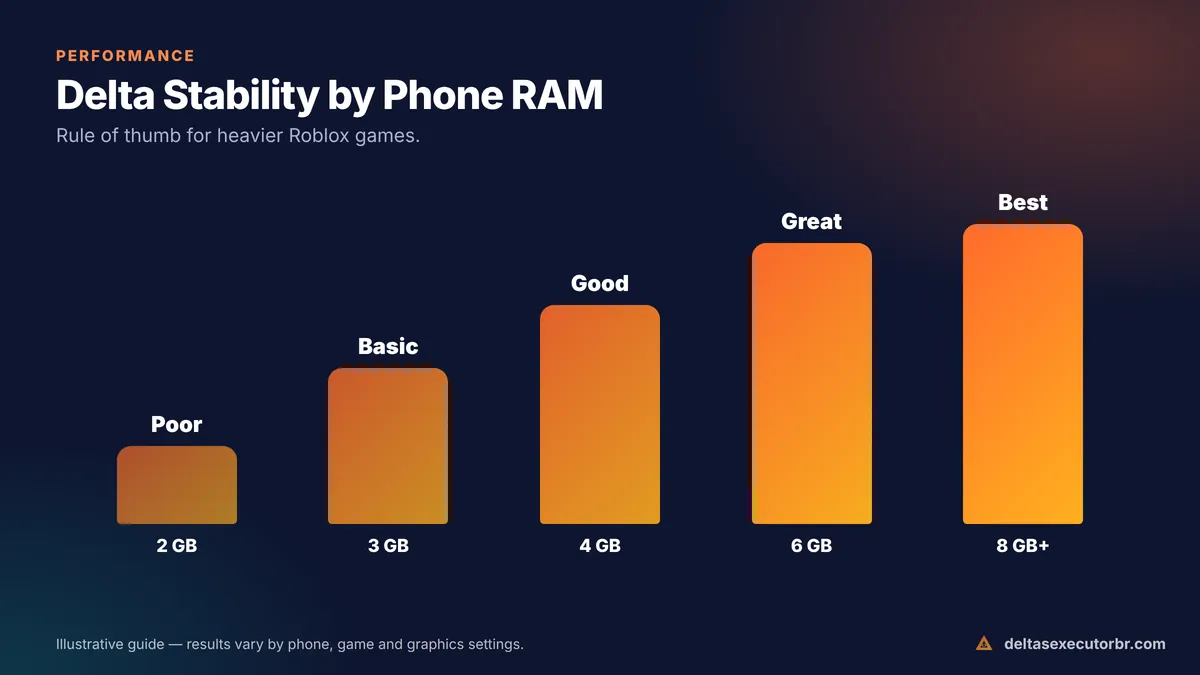
Delta runs Roblox plus the executor and any scripts, so memory matters more than anything else. As a general rule, 2 GB devices crash in most games, 3–4 GB devices handle lighter games with low graphics, and 6 GB or more is comfortable for heavier games and several scripts.
How to Check Your Device Specs
Android
- Android version: Settings → About phone → Software information (or Android version).
- RAM: Settings → About phone, or Settings → Memory / RAM on many brands.
- 64-bit check: a hardware info app (for example CPU-Z) shows “Kernel architecture: aarch64” on 64-bit phones.
- Free storage: Settings → Storage.
iPhone and iPad
- iOS version: Settings → General → About → iOS Version.
- Model: Settings → General → About → Model Name.
- Free storage: Settings → General → iPhone Storage.
Windows PC
- RAM and Windows version: Settings → System → About.
- Virtualization: Task Manager → Performance → CPU → “Virtualization: Enabled”.
Internet and Storage Requirements
Delta itself is about 230 MB on Android, but Roblox downloads extra game data while you play. Keep at least 1–2 GB free, and more if you play large games. A stable connection matters more than raw speed: 10 Mbps Wi-Fi or good 4G is enough, but frequent drops cause disconnects and failed key checkpoints. Avoid VPNs while getting the key, because some key providers block them.
Tips for Low-End Phones
- Close every other app before opening Delta.
- Set Roblox graphics to manual and the lowest level.
- Run one script at a time and keep auto-execute off.
- Keep 2 GB of storage free and clear Delta's cache weekly.
- Turn off battery saver while playing.
- Prefer lighter games; large open-world games use far more RAM.
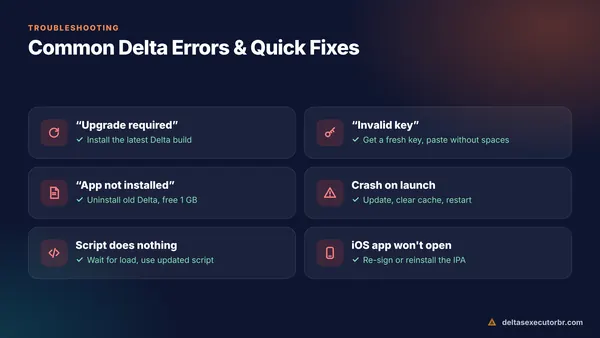
Still crashing? Check Delta Executor not working for more fixes.
Frequently Asked Questions
What is the minimum Android version for Delta Executor?
Android 8.0 is the practical minimum, on a 64-bit phone. Android 11 or newer gives the best stability.
Can Delta run on 2 GB or 3 GB RAM?
On 2 GB it usually crashes in most games. With 3 GB it can work in lighter games if you close all background apps and use the lowest graphics.
Does Delta work on 32-bit phones?
Generally no. Current Roblox and Delta builds are made for 64-bit (ARM64) devices.
What PC do I need for Delta Executor?
A Windows 10/11 PC with 8 GB RAM, a 4-core CPU with virtualization enabled and about 10 GB of free space to run an Android emulator.