Delta Executor is one of the most popular mobile executors thanks to its clean editor, built-in script hub, free key system and fast updates on both Android and iOS. Alternatives such as Arceus X, Codex, Fluxus and Hydrogen offer similar core features; the right choice depends on which tool currently supports your device and updates fastest after Roblox updates.
How We Compare Executors
Executors change quickly — features are added, platforms are dropped and some projects disappear. Instead of fixed scores, we compare them on the things that matter every day:
- Platform support — Android, iOS, PC or Mac.
- Key system — how often you need a key and how long the checkpoints take.
- Ease of use — editor, script hub, saved scripts.
- Update speed — how fast a new build appears after a Roblox update.
- Community — official channels for news and support.
Delta vs Other Executors: Overview
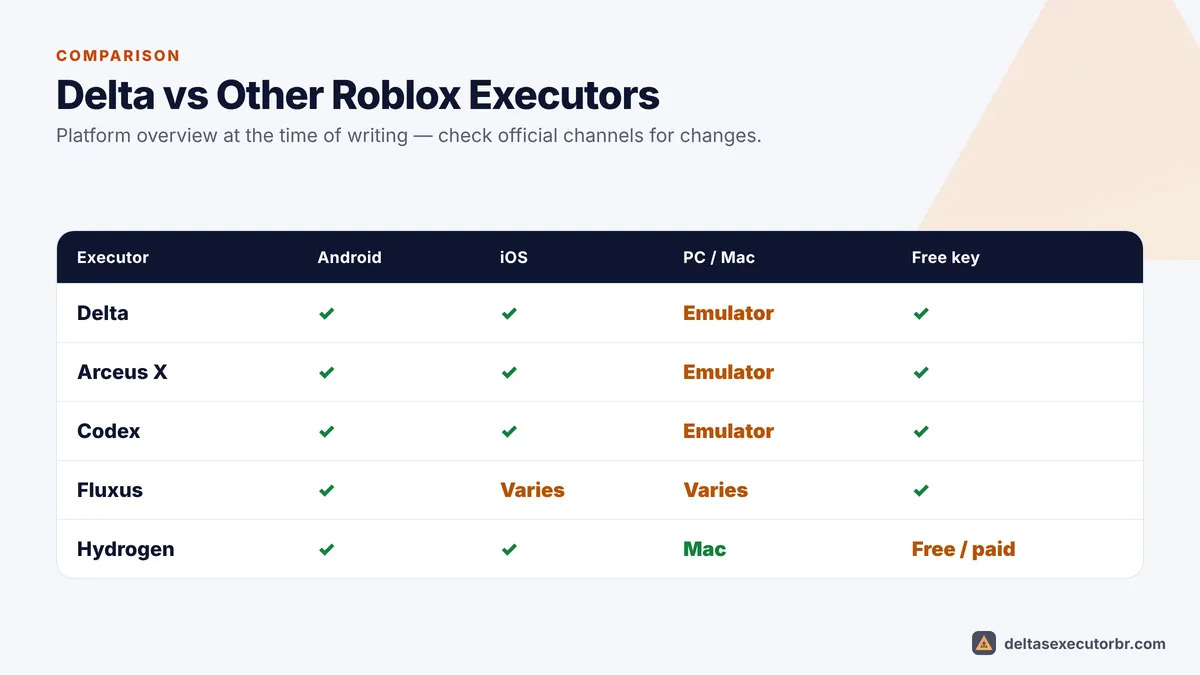
| Executor | Main platforms | Price model | Known for |
|---|---|---|---|
| Delta | Android, iOS (PC via emulator) | Free with key | Clean UI, script hub, fast mobile updates |
| Arceus X | Android, iOS | Free with key | Long-running mobile executor with a large user base |
| Codex | Android, iOS | Free with key | Modern interface and script library |
| Fluxus | Android (earlier on PC) | Free with key | Well-known name that moved to mobile |
| Hydrogen | Android, iOS, macOS | Free and paid options | Mac support |
Note: Platform support and key systems change frequently. A tool that works today may be down after the next Roblox update.
Where Delta Stands Out
- Both Android and iOS: one familiar interface across phones and tablets.
- Beginner-friendly editor: clear Execute/Clear/Paste buttons and a floating Δ toggle.
- Built-in script hub: search scripts by game without leaving Roblox.
- Quick updates: new builds usually follow Roblox updates within days — see Delta updates.
- Large community: an active official Discord for status and support — see Delta Discord.
Where Delta Falls Short
- The key has to be renewed regularly (about every 24 hours).
- No official native Windows app — PC users need an emulator (PC guide).
- iOS installs can stop working when signing certificates are revoked.
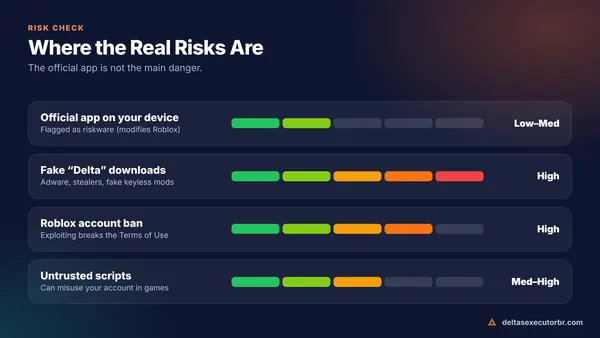
- Like every executor, it can lead to Roblox bans.
Key Systems Compared
Almost every free mobile executor uses a key system, because ads on the key page pay for development. What differs is how often you need a new key and how many checkpoints you must complete. Delta's key usually lasts about 24 hours and takes one to three checkpoints. Some tools offer paid “keyless” access; be careful with anyone selling keys outside the official website or Discord. Details: Delta key guide.
Update Speed After Roblox Updates
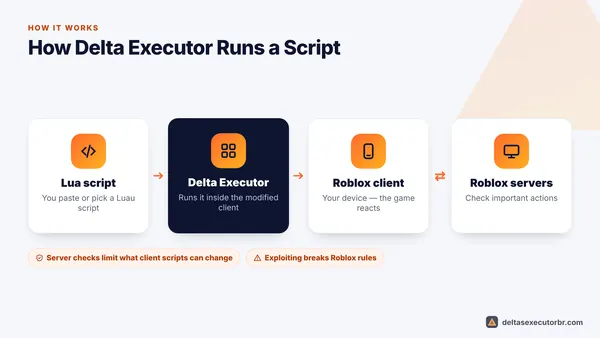
Because mobile executors are modified Roblox clients, every Roblox update breaks them until a new build is released. Update speed is therefore one of the most important differences between tools in daily use. Delta has a reputation for releasing new builds quickly, often within a few days. Whichever executor you use, never download “patched” builds from unknown sites while waiting — that is how many fake executors spread.
How to Choose the Right Executor
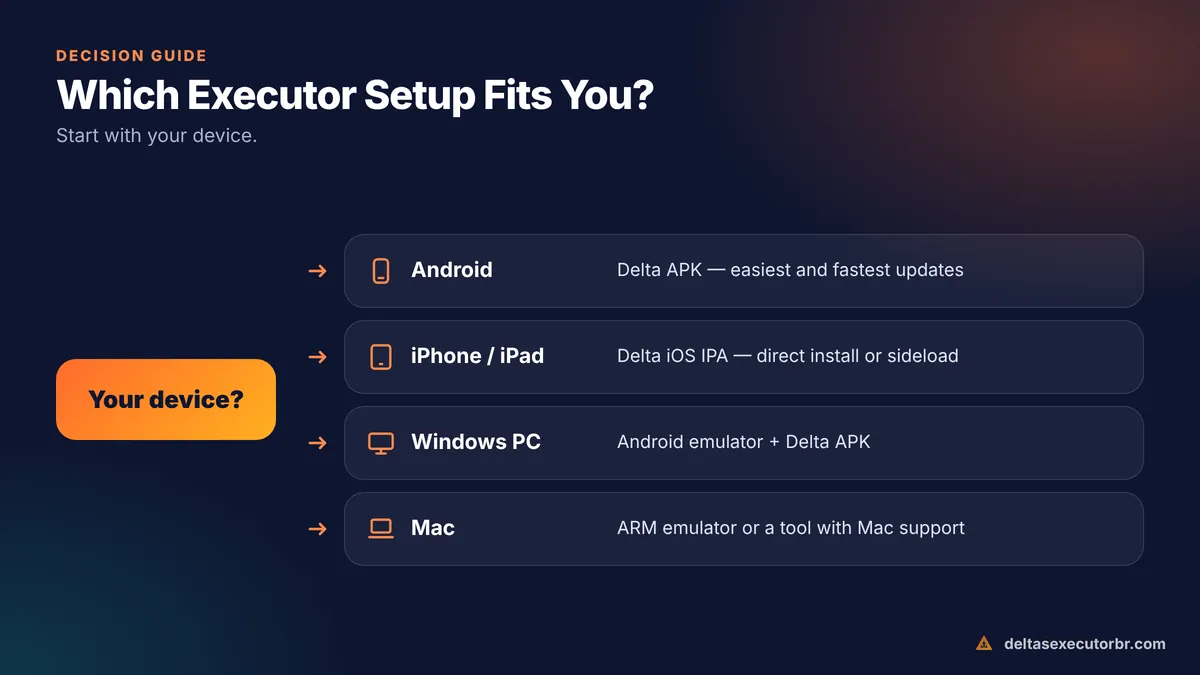
- Start with your device Android and iPhone users have the most choice; Mac users should check Mac support; Windows users usually need an emulator for mobile executors.
- Check that the latest build is out After a Roblox update, pick the executor that has already updated.
- Prefer an official source and community Tools with a clear official website and Discord are easier to verify and get help with.
- Consider the key system If daily keys annoy you, compare how long each tool's checkpoints take.
- Protect your account Whatever you choose, use a secondary account and trusted scripts only.
Verdict
For most mobile players, Delta is a strong default: it is free, works on Android and iOS, is easy to learn and updates quickly. If Delta is temporarily down after a Roblox update, wait for the official build rather than downloading unknown alternatives. Ready to start? Go to the Delta APK guide or the iOS guide, and read our safety check first.
Frequently Asked Questions
Is Delta better than Arceus X?
It depends on your device and preferences. Delta is known for a clean interface and fast updates on both Android and iOS. Arceus X is also popular on mobile. Try the one whose current build supports your device, from its official source only.
Which Roblox executor is best for mobile?
Delta is one of the most popular mobile executors because it supports Android and iOS, has a free key system and updates quickly after Roblox updates. Availability changes often, so check that the latest build is out before choosing.
Are any Roblox executors safe from bans?
No. Every executor breaks the Roblox Terms of Use and can lead to a ban. Claims of being undetected or anti-ban are never guaranteed.
Can I install two executors at the same time?
Sometimes, but it often causes conflicts and confusion with logins. Keep only the executor you actually use.